Give work a clear owner.
Create an employee around a responsibility, not just a one-off prompt. Define what needs to happen and what a good result looks like.
Create AI employees, give each one a responsibility, connect the tools they need and delegate the work that keeps coming back.
AI is useful when it can take a responsibility, work through the steps and return with something done. Ylar is built around that simple shift: from asking AI for answers to delegating work to an AI employee.
Create an employee around a responsibility, not just a one-off prompt. Define what needs to happen and what a good result looks like.
Connect the applications and information sources an employee needs, then choose which employees can use each connection.
Assign tasks, run recurring work where configured and see what was handled, what is waiting and where your attention is needed.
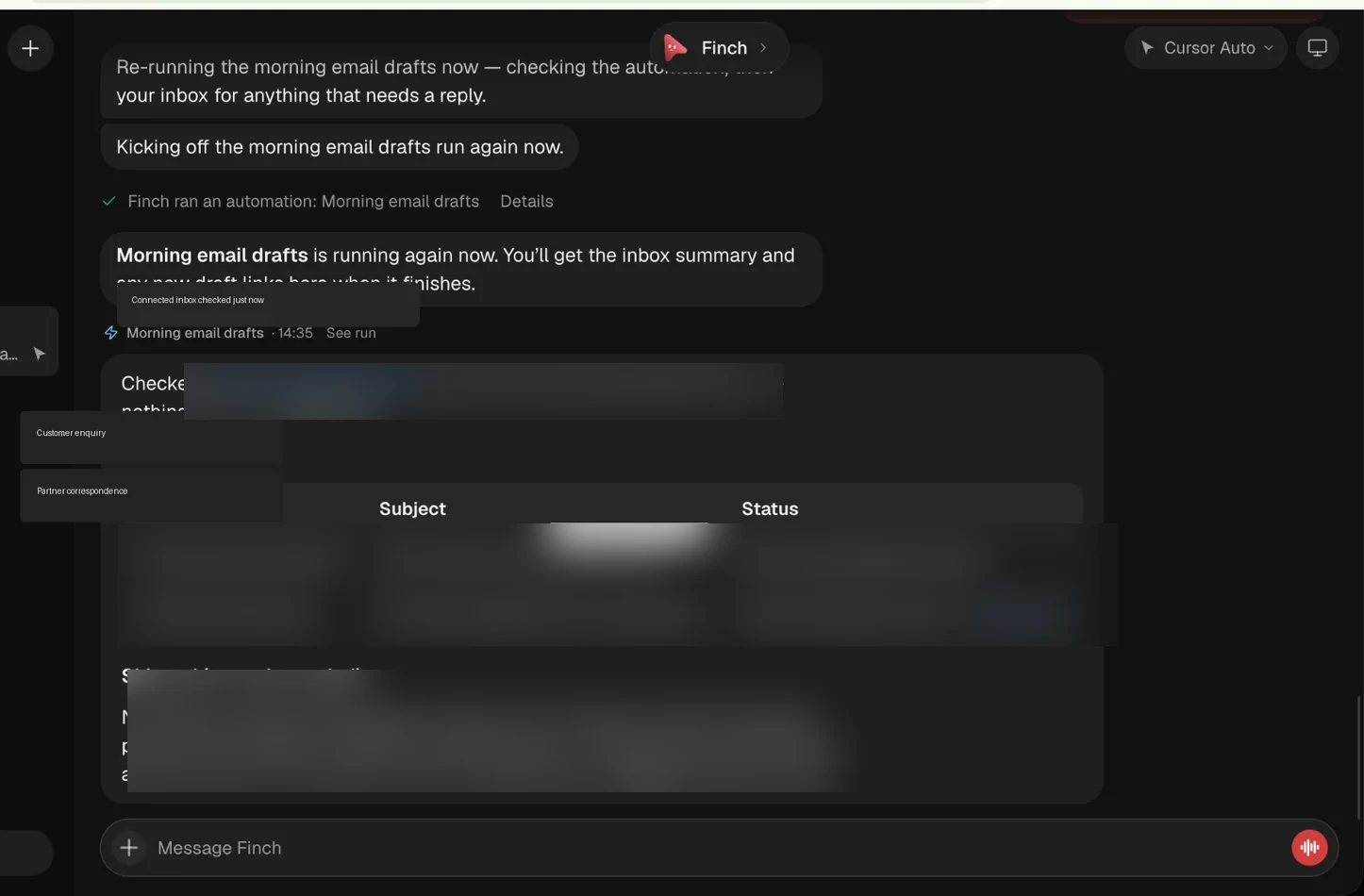
Explore a few examples of how an AI employee can take a defined responsibility and move it through a workflow. Finch is shown using the actual Ylar product interface; the other examples illustrate potential role configurations.
Finch reviews incoming messages, distinguishes items that have already been handled, prepares draft replies and summarizes what still needs a decision.
Ylar's mental model is simple: decide what needs doing, give the employee the right context and tools, then delegate and review its work.
Name the role and define the responsibility it should take on.
Choose the authorized apps, information and execution environment it needs.
Assign a task or configure recurring work where the workflow supports it.
See the summary, inspect drafts and take over when a decision belongs to you.
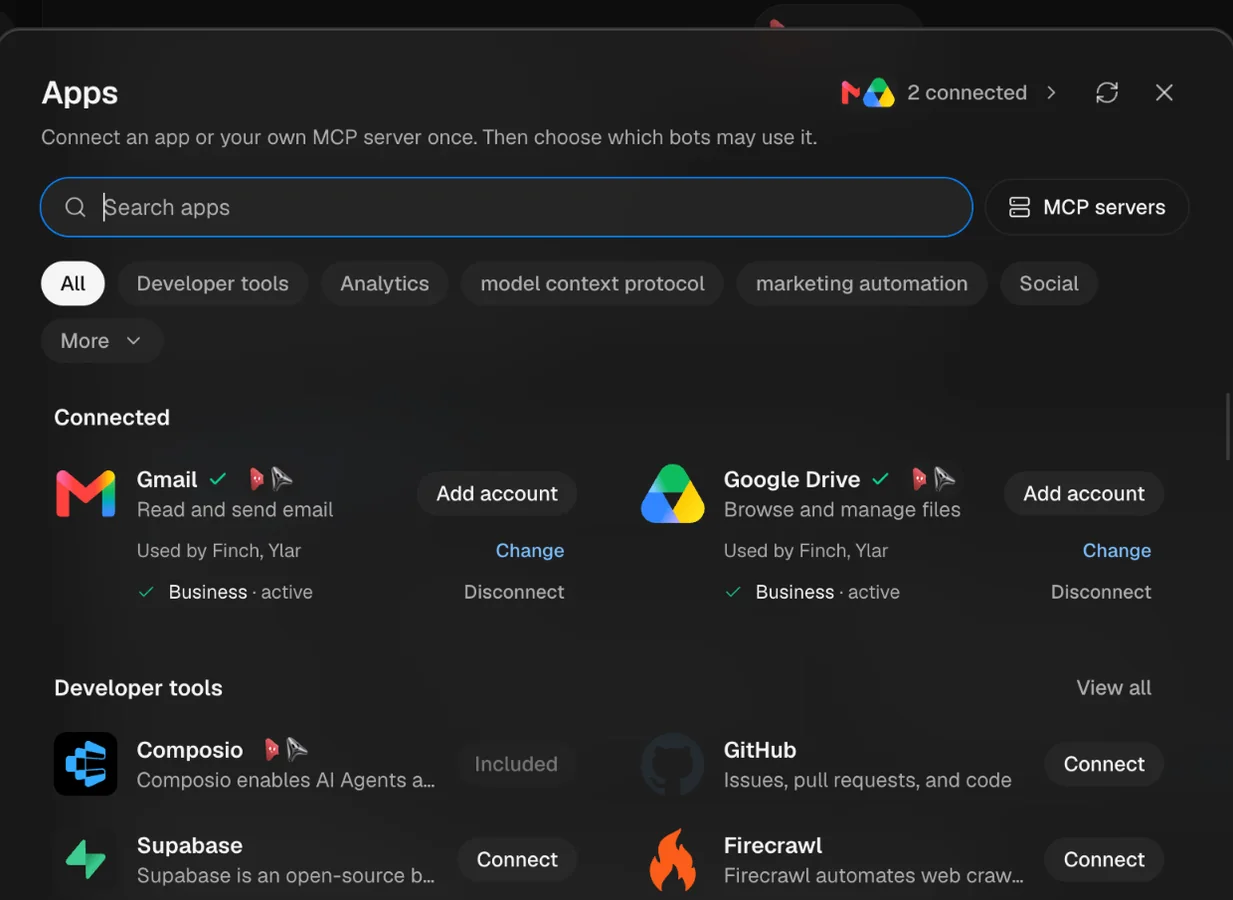
AI employees become useful when they can work with the information and applications your business already depends on. Connect an app or your own MCP server, then choose which employees may use it.
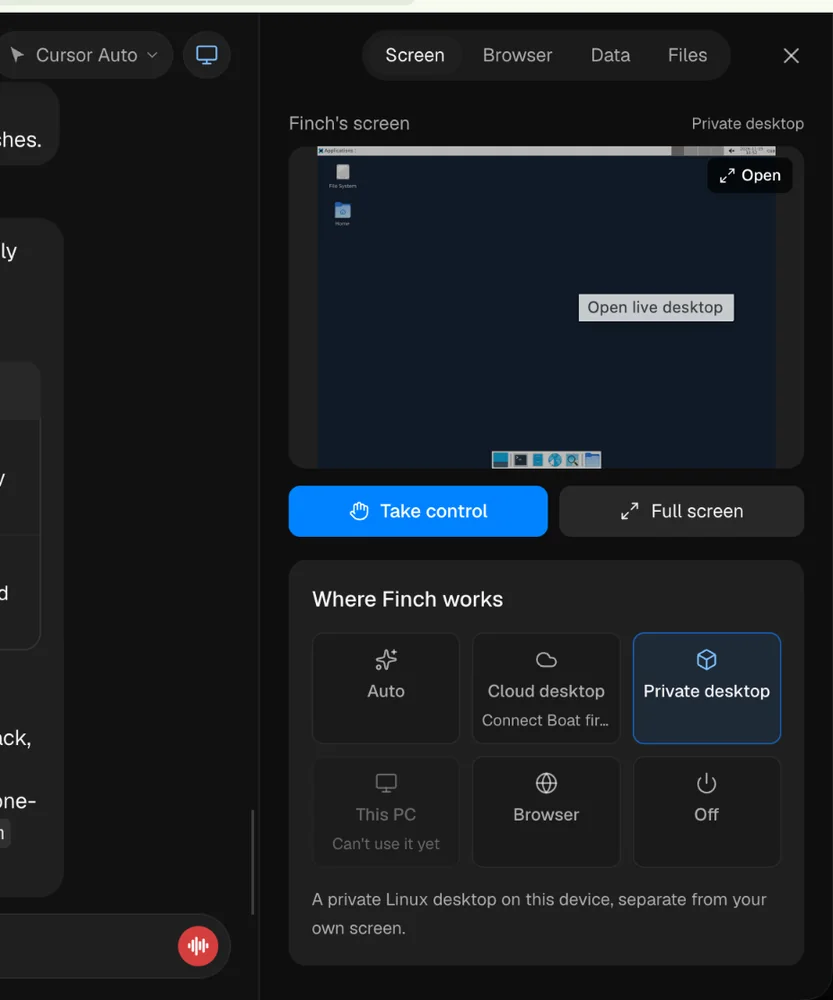
Some tasks happen inside connected apps. Others need a browser or computer environment. Ylar's interface shows execution modes that can support different kinds of work.
From inbox administration to research and operations, explore the kinds of responsibilities a Ylar employee could take on when configured with the right tools and context.
Sort incoming messages, surface what matters, prepare drafts and summarize outstanding work.
Research companies, organize prospective accounts and prepare structured lead briefs.
Monitor inventory signals, spot exceptions and prepare replenishment recommendations.
Organize invoices, identify missing information and prepare exceptions for review.
Research markets, monitor developments and turn sources into structured briefings.
Prepare daily briefings, track commitments and organize follow-ups across tools.
Useful AI employees need clear responsibilities and the right level of access. The goal is to make delegation understandable, reviewable and aligned with how your business operates.
Connect tools and choose which employees are allowed to use those connections. Keep access scoped to the work.
Bring back a summary of what was handled, what is still pending and what needs your attention.
Keep people involved in sensitive, consequential or uncertain decisions. Review drafts before they become commitments.
Different businesses have different kinds of recurring work. Start with one responsibility, then shape a broader AI workforce around the processes that matter to your team.
Industry labels represent potential application areas, not preconfigured industry bundles.
Research, qualify, organize and follow up.
Prepare, classify, reconcile and coordinate.
Monitor enquiries and move requests forward.
Gather information and prepare briefings.
Show us the recurring work that takes time away from your team. We'll explore whether Ylar is the right fit and what a useful first employee could look like.
Still figuring out where an AI employee could help? Start with the work your team repeats most often.
Ylar is an agentic AI workforce product by fynqAI. It is designed around creating AI employees, defining their responsibilities, connecting tools and delegating tasks that can be executed through configured workflows.
A chatbot primarily responds in a conversation. An AI employee is configured around a responsibility: it can work through a task, use permitted tools and return a result or a request for human attention. The exact capabilities depend on its configuration and connected applications.
Ylar's app connection interface shows Gmail and Google Drive connected, as well as an app catalogue and MCP server option. Other tools and use cases should be checked against current integration availability before planning a deployment.
Tool access and employee responsibilities should be configured deliberately. For sensitive or consequential work, design the workflow so drafts and decisions can be reviewed by a person before an external action is taken.
No. A practical starting point is one recurring responsibility with a clear outcome. Validate that employee's workflow, then expand into other roles where the business sees value.